
Appearance
Sharing a meeting
This guide shows how to share a completed meeting with people outside your workspace — open the Share menu from the meeting view, choose who can access it, and copy a link you can send.
Steps
1. Open the Share menu on a meeting
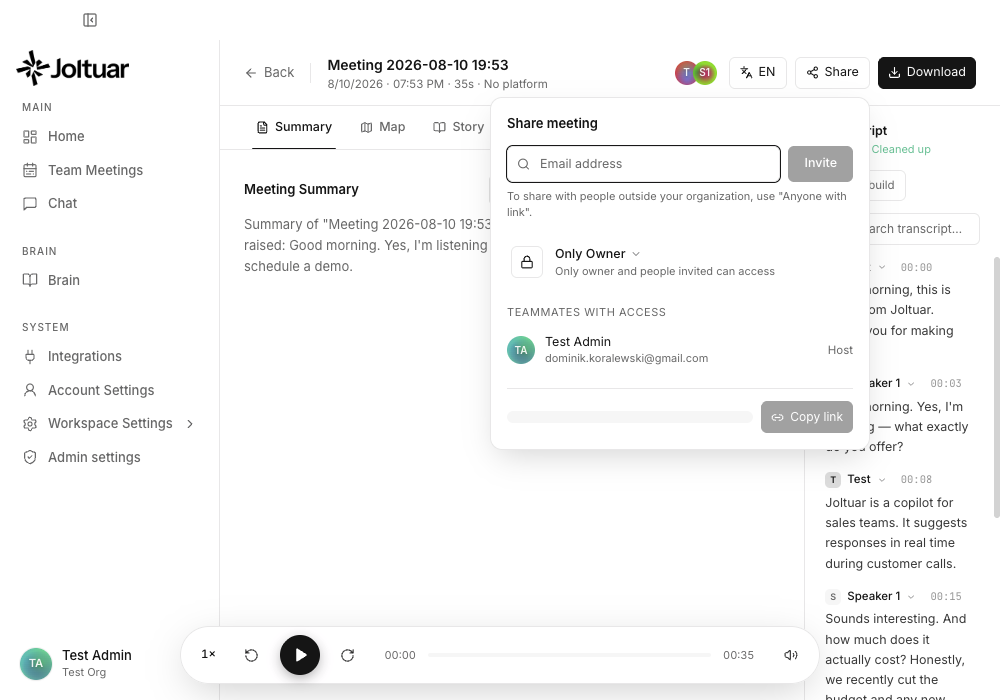
Click Share, next to Download, on any meeting to invite people, set who can access it, and grab a link.
2. Choose who can access the shared meeting
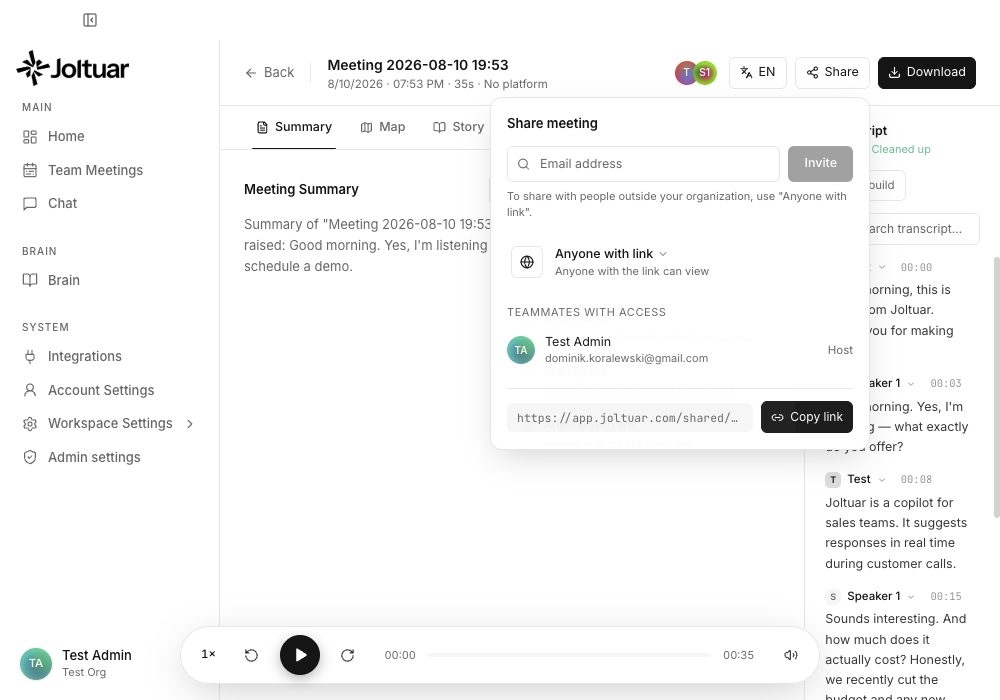
Pick who can access the shared meeting — Only Owner, your whole Workspace, or Anyone with the link.
3. Copy the shareable link
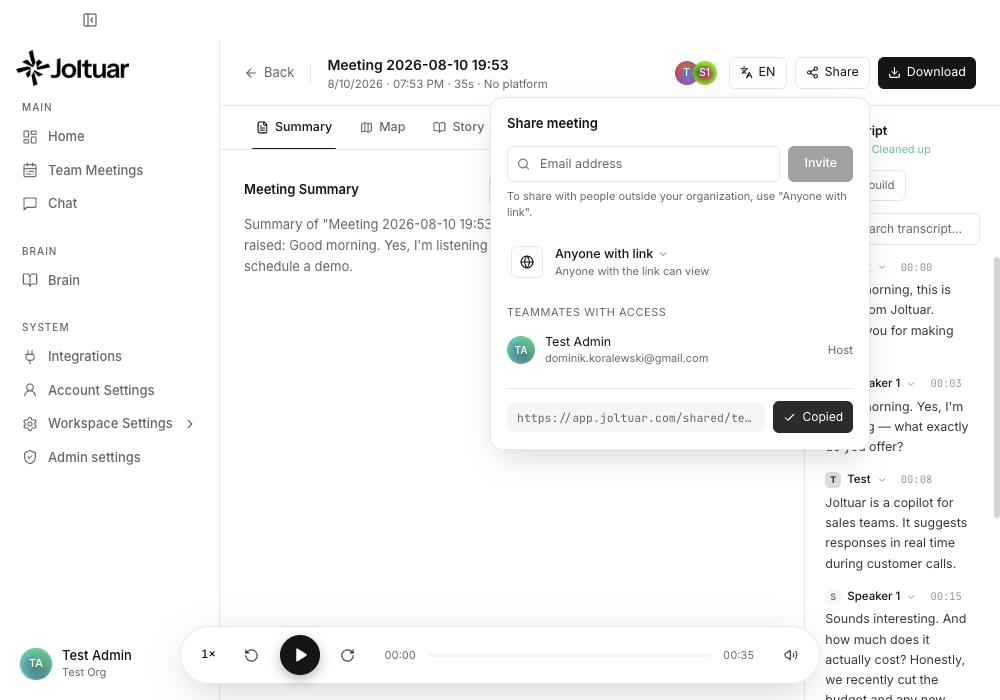
Copy the link and send it to anyone — they can open it without a Joltuar account.