
Appearance
Creating Playbooks
Playbooks are behavioral guidance that the assistant applies to every hint as a guaranteed coaching block — injected separately from the knowledge base, so they never compete with your facts for relevance. Use a Playbook to teach the assistant a repeatable play, for example: when the customer raises an objection, first ask a reversing question. Playbooks live in the Brain: anything you file under "Sales knowledge" becomes one, and it uses the same draft-and-publish workflow as the rest of your knowledge.
Steps
1. Navigate to Brain
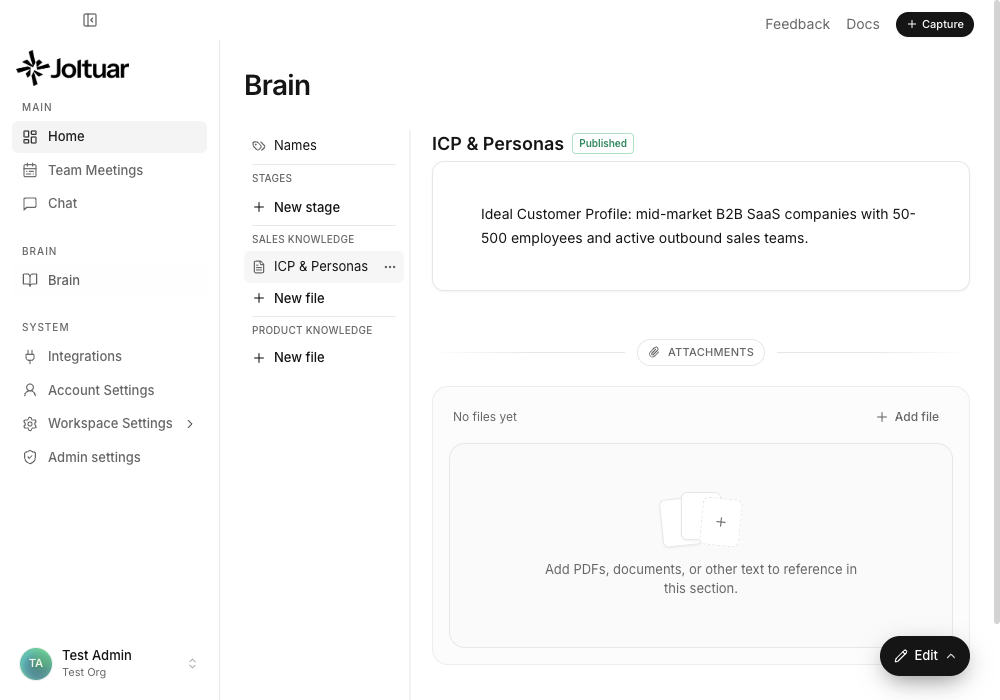
Brain is where your knowledge and behavioral guidance live. The left nav splits it in two: "Sales knowledge" holds your playbooks — injected into every hint as a coaching block — while "Product knowledge" holds the facts the assistant looks up on demand.
2. Create a Playbook under Sales knowledge
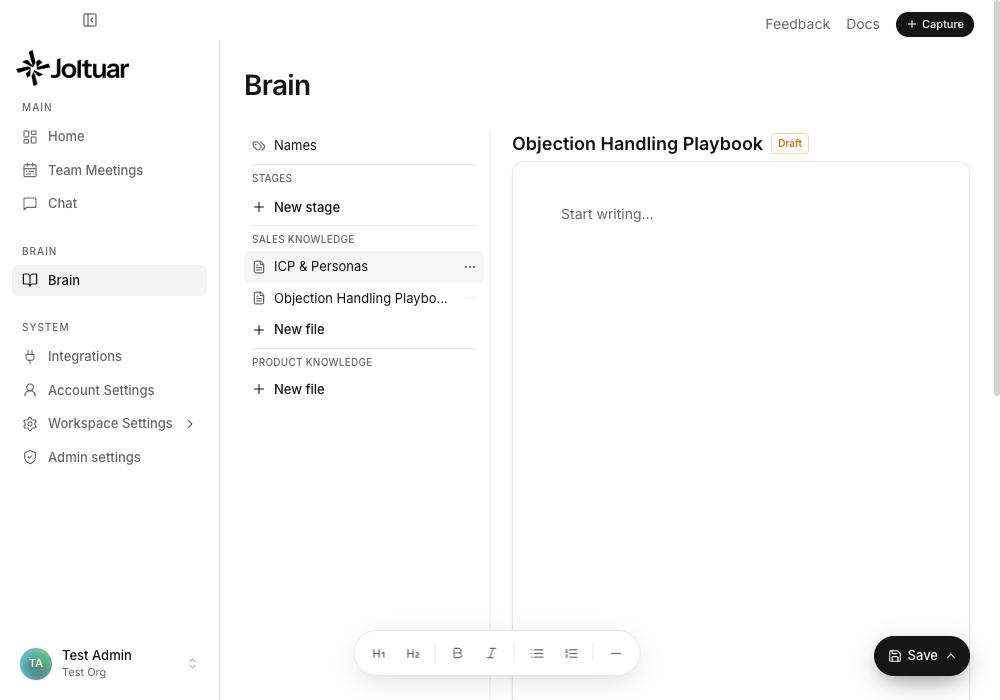
Click "New file" under "Sales knowledge" and give the section a title. There is no type to pick — the group decides: everything filed under Sales knowledge is a Playbook, everything under Product knowledge is looked-up knowledge. The new section starts as a Draft.
3. Write the behavioral guidance
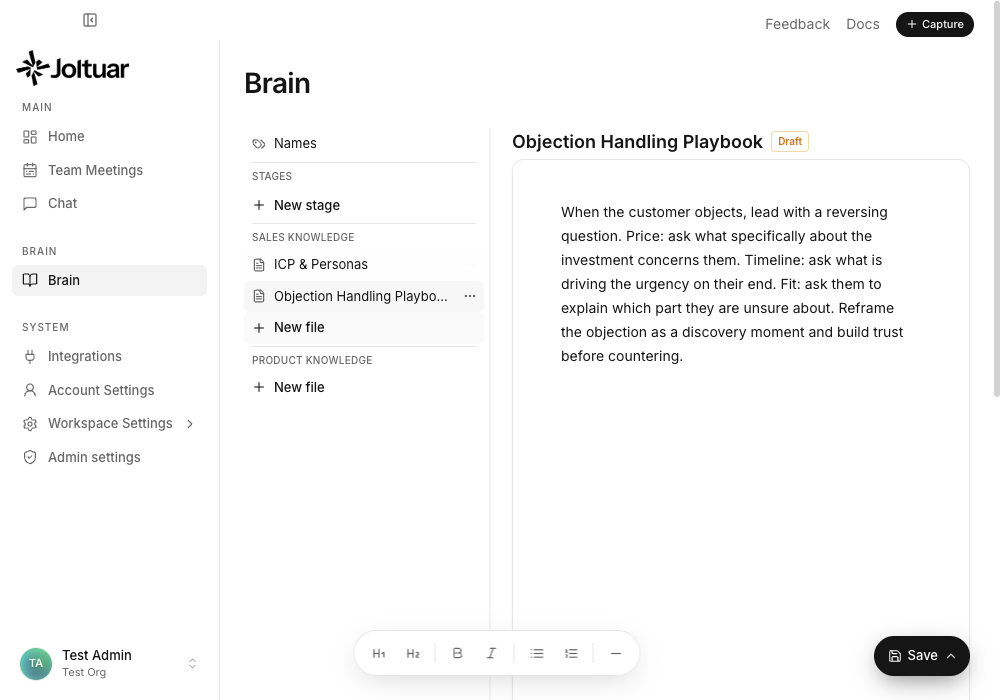
Write the play the way you would coach a new rep — short, imperative sentences. This text is injected into every hint as a coaching block, so keep it about behavior ("ask this first"), not about facts (those belong in Product knowledge).
4. Publish the Playbook
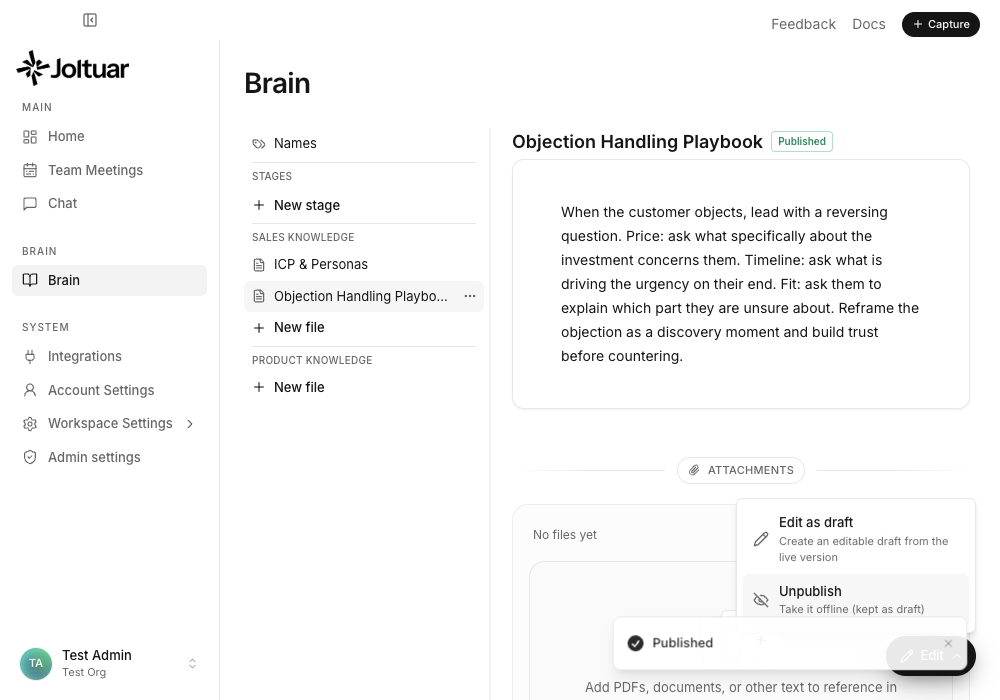
Click "Save" to open the action menu, then choose "Publish". The badge next to the title flips from Draft to Published — the Playbook is now live and the assistant applies it to every hint it generates. Edit it later and it goes back to a draft until you publish again.